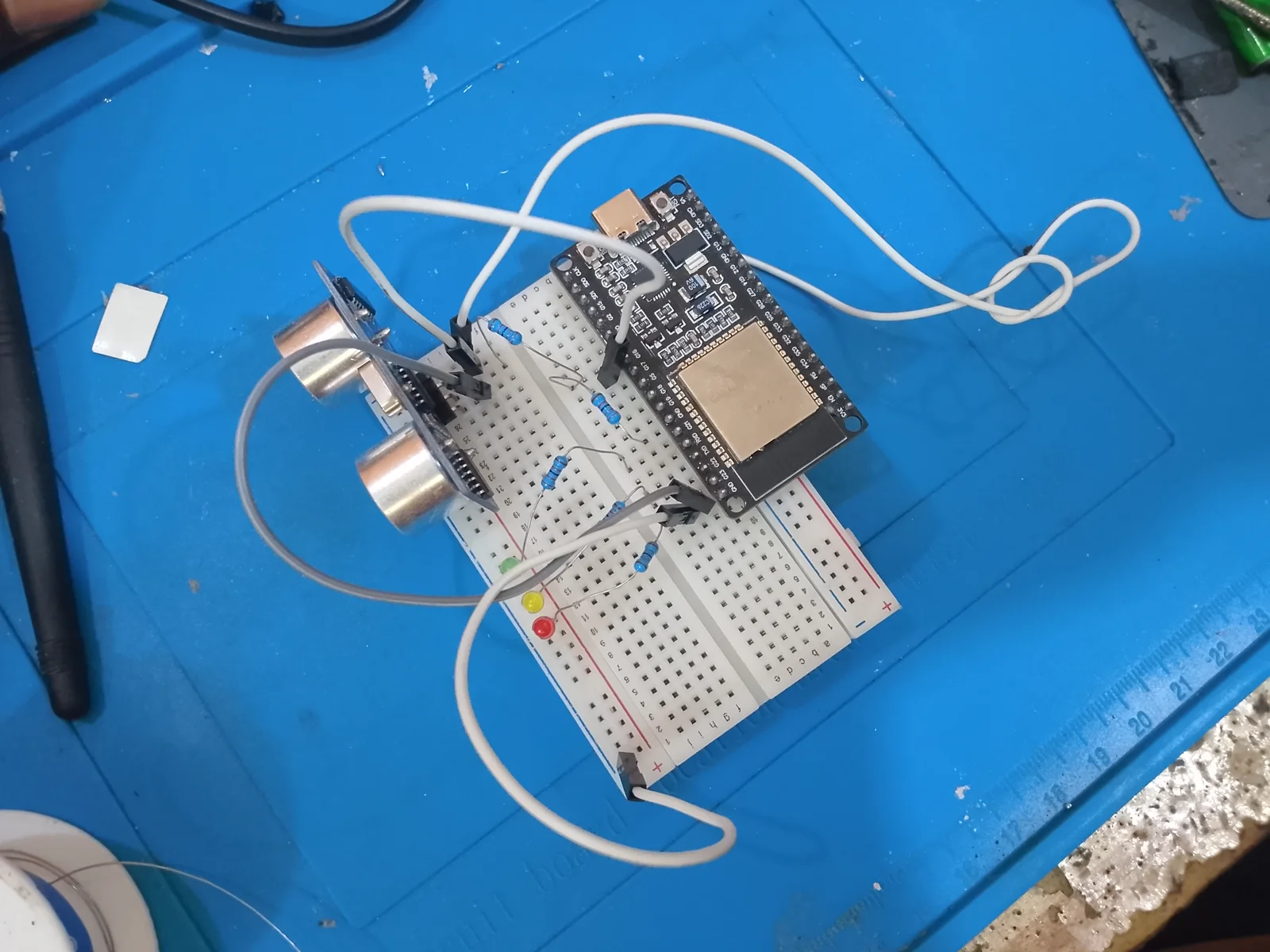
The Code Behind the Journey
Curious about the actual code behind these experiments? I've documented my hands-on work, sketches, and projects in a dedicated GitHub repository.
Explore the source code, follow the experiments, and see how the journey evolved from basic GPIO operations to network-enabled ESP32 projects.
ESP32 Journey — GitHub Repository
From GPIO to the Internet: My ESP32 Journey
How a ₦15,000 development board turned into an obsession with embedded systems, networking, and IoT.
By Kolawole Suleiman
I didn't start with a roadmap. I didn't have a proper understanding of embedded systems, and I certainly wasn't the kind of person who would sit down and read an entire technical documentation before touching a device.
I had curiosity, an ESP32, a computer, and ChatGPT.
Somehow, that was enough to get started.
1. The beginning: A little board and a big curiosity
Every technical journey has a starting point. Mine started with a piece of hardware I had been curious about: the ESP32.
I wanted to understand how hardware worked. Not just how to write software that runs on a computer, but how to write instructions that interact with physical things.
I wanted to understand GPIOs, pins, signals, input, output, and how a tiny electronic component could respond to a few lines of code.
Eventually, I got my ESP32 development board from Hub360 for ₦15,000.
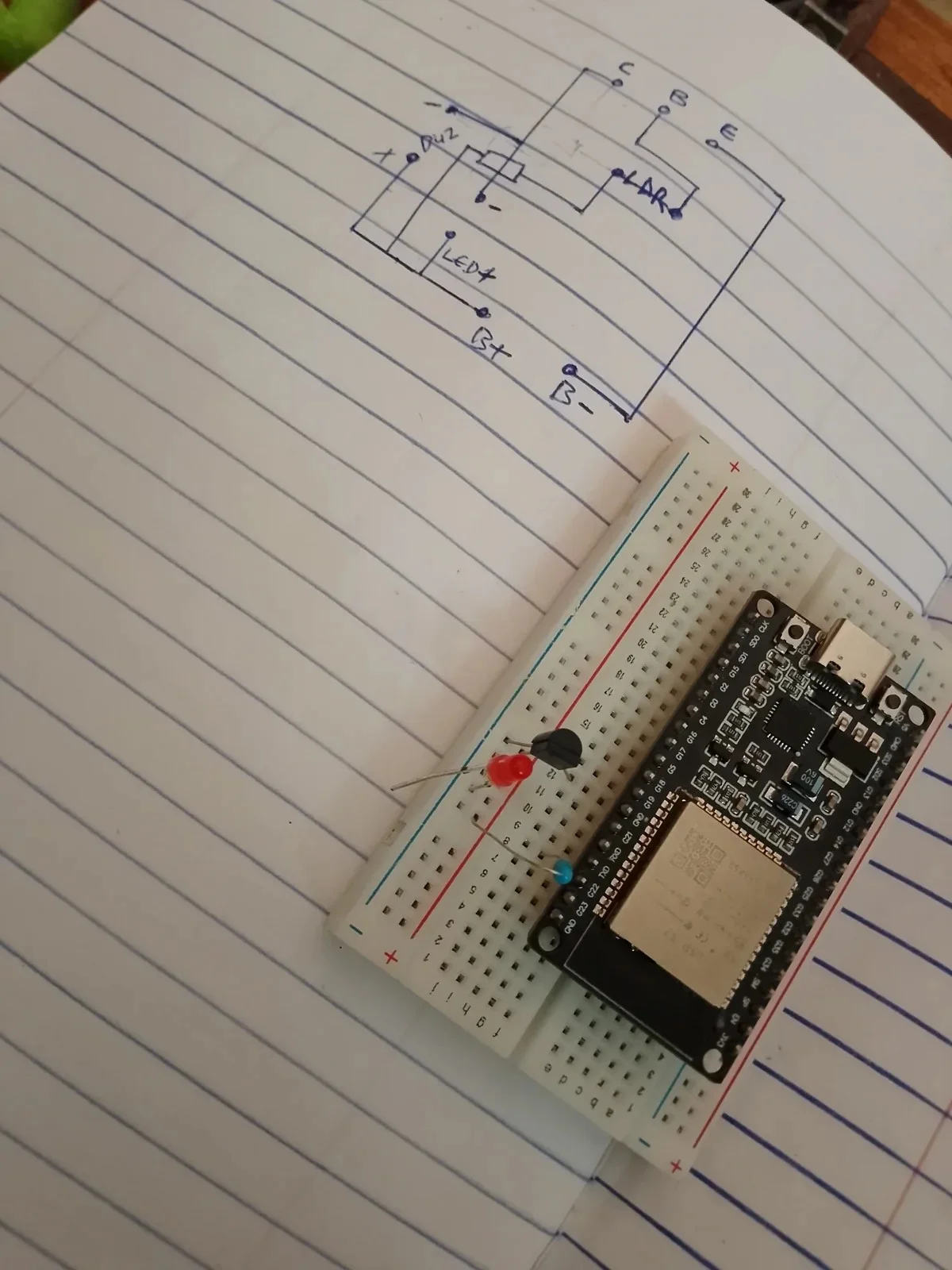
It wasn't some expensive laboratory setup. It wasn't a sophisticated development environment. Just a development board, a USB cable, and the willingness to experiment.
And honestly, I didn't know as much as I thought I needed to know.
I barely read the documentation.
I would rather ask ChatGPT a question, get an explanation, try something, encounter an error, return with the error, and try again.
That became my learning cycle.
Ask. Code. Upload. Fail. Debug. Repeat.
2. My first encounter with GPIO: Making an LED blink
Before Wi-Fi, web servers, networking, or anything remotely complicated, there was GPIO.
General Purpose Input/Output.
This was where things started making sense.
I learned that the ESP32 could control physical components through its GPIO pins. A pin could be configured as an output, and that output could control something as simple as an LED.
My first real achievement was getting an LED to blink.
It sounds ridiculously simple now, but there was something satisfying about writing code, uploading it to a physical board, and watching something happen outside the computer.
It was my first little connection between software and the physical world.
My first ESP32 program
#define LED_PIN 2

void setup() {
    pinMode(LED_PIN, OUTPUT);
}

void loop() {
    digitalWrite(LED_PIN, HIGH);
    delay(1000);

    digitalWrite(LED_PIN, LOW);
    delay(1000);
}
What was happening?
-
#define LED_PIN 2identifies the GPIO pin connected to the LED. -
pinMode()configures the pin as an output. -
digitalWrite(HIGH)sends a HIGH signal. -
delay(1000)waits for one second. -
digitalWrite(LOW)turns the output off. -
The
loop()function repeats everything indefinitely.
That was it.
A few lines of C++ and a physical LED responding to instructions.
But that little experiment introduced me to something much bigger: the possibility of controlling hardware programmatically.
I started with one output. I wanted to know what else I could control.
3. ChatGPT became my unofficial laboratory assistant
One interesting part of this journey was how much of it involved battling with ChatGPT.
I wasn't following a structured embedded systems course from beginning to end. I was learning through questions and experiments.
Sometimes I would ask what a particular function did. Other times, I would paste an entire sketch and ask why it wasn't working.
And sometimes, the explanation would introduce three new concepts that would lead to another ten questions.
I had to understand things like:
-
What exactly is a GPIO?
-
What happens when a pin is HIGH or LOW?
-
Why does
setup()execute once? -
Why does
loop()execute repeatedly? -
What is a library?
-
Why do some headers need to be included?
-
How does the ESP32 communicate with other devices?
-
What is the difference between an access point and a Wi-Fi client?
There were moments when ChatGPT would give me code that didn't compile. Sometimes I would misunderstand an explanation. Sometimes the problem was a missing library or an incorrect header name.
But I kept returning with the errors.
I wasn't simply collecting code snippets. I was gradually learning how the pieces fitted together.
And that distinction mattered.
4. Discovering Wi-Fi: The ESP32 was more than a microcontroller
The next major discovery was the ESP32's networking capability.
I already knew that it could control an LED. But the idea that the same board could communicate over Wi-Fi opened up an entirely different world.
I started exploring the WiFi.h library.
#include <WiFi.h>
That single include introduced me to wireless networking on the ESP32.
I began learning about the different Wi-Fi modes:
-
WIFI_AP— Access Point mode. -
WIFI_STA— Station mode. -
WIFI_AP_STA— Access Point and Station simultaneously. -
WIFI_OFF— Wi-Fi disabled.
I initially explored the access point side of things.
Instead of connecting the ESP32 to an existing wireless network, I could make the ESP32 create its own.
Think about that for a moment.
A development board that initially did nothing more than blink an LED could now broadcast a wireless network that other devices could connect to.
Creating my own hotspot
#include <WiFi.h>

const char* ssid = "ESP32_Hotspot";
const char* password = "12345678";

void setup() {
    Serial.begin(115200);

    WiFi.mode(WIFI_AP);

    WiFi.softAP(ssid, password);

    Serial.println("Hotspot started!");
    Serial.println(WiFi.softAPIP());
}

void loop() {
}
The ESP32 could now operate as a wireless access point.
My phone could discover the network, connect to it, and communicate with the board.
This was a significant change in how I understood the device.
I wasn't just programming hardware anymore.
I was beginning to build small networked systems.
5. Introducing WebServer.h: Giving the hardware a web interface
Then came another interesting discovery: WebServer.h.
#include <WebServer.h>
This was where things started getting particularly interesting.
I discovered that I could host a web server directly on the ESP32.
Not on a VPS.
Not on a cloud hosting platform.
Not on my laptop.
On the actual development board.
The ESP32 could serve an HTML page to a connected device, receive HTTP requests, and execute functions based on what a user did on a webpage.
Suddenly, the possibility of controlling physical hardware through a browser became real.
Imagine connecting your phone to an ESP32 hotspot, opening its IP address, and seeing a webpage served directly from the board.
That webpage could contain buttons.
Those buttons could trigger GPIO operations.
A button on a webpage could turn an LED on or off.
A simple web-controlled LED
#include <WiFi.h>
#include <WebServer.h>

const char* ssid = "ESP32_Control";
const char* password = "12345678";

WebServer server(80);

#define LED_PIN 2

void handleRoot() {
    String html = R"rawliteral(
    <!DOCTYPE html>
    <html>
    <head>
        <title>ESP32 Control</title>
    </head>
    <body>
        <h1>ESP32 LED Control</h1>
        <a href="/on"><button>Turn ON</button></a>
        <a href="/off"><button>Turn OFF</button></a>
    </body>
    </html>
    )rawliteral";

    server.send(200, "text/html", html);
}

void setup() {
    Serial.begin(115200);

    pinMode(LED_PIN, OUTPUT);

    WiFi.softAP(ssid, password);

    server.on("/", handleRoot);

    server.on("/on", []() {
        digitalWrite(LED_PIN, HIGH);
        server.send(200, "text/plain", "LED ON");
    });

    server.on("/off", []() {
        digitalWrite(LED_PIN, LOW);
        server.send(200, "text/plain", "LED OFF");
    });

    server.begin();
}

void loop() {
    server.handleClient();
}
This example brings together several concepts:
-
The ESP32 creates a hotspot.
-
The web server listens on port 80.
-
A browser requests the homepage.
-
The ESP32 responds with HTML.
-
Clicking a button sends a request to an endpoint.
-
The endpoint changes the GPIO output.
It was an entirely new way of thinking about hardware.
I could build an interface for a physical device without needing a separate computer to host the application.
Hardware had entered the web development world.
6. The school Wi-Fi experiment: Curiosity meets networking
At some point, my experiments moved beyond creating my own generic hotspot.
I became interested in how existing wireless networks worked, including my school's Wi-Fi.
I started experimenting with recreating the network's visible identity using the ESP32.
This was an interesting learning experience because it forced me to think about the difference between a wireless network's name, its actual authentication, and the infrastructure behind it.
A particularly important distinction became clear:
Broadcasting a network with the same SSID is not the same thing as cloning the original network.
An access point can advertise a familiar network name, but that doesn't automatically reproduce its authentication system, internet access, encryption configuration, or backend infrastructure.
That distinction was part of what made networking more interesting to me.
I was moving from simply asking, "How do I create a hotspot?" to asking, "What actually makes a wireless network work?"
I also became more interested in the security implications of wireless networking.
It was no longer just about making something work. I wanted to understand what happened underneath.
Any such experiments belong in a controlled environment or an explicitly authorized security test, rather than impersonating a live school network to collect credentials or intercept connections.
7. DNS, captive portals, and another battle with compilation errors
As I explored more advanced hotspot behaviour, I encountered another piece of the networking puzzle: DNS.
This led me to DNSServer.h.
DNS, or Domain Name System, is the mechanism that translates domain names into IP addresses.
In the context of an ESP32 access point, a DNS server can be used to direct domain requests to a local webpage.
This is one of the concepts behind captive portals — the pages that appear when connecting to certain public Wi-Fi networks.
And, of course, learning it wasn't completely smooth.
I encountered a compilation error because I used:
#include <DnsServer.h>
The compiler couldn't find the header.
The correct include was:
#include <DNSServer.h>
A tiny difference in capitalization.
That was another reminder that programming isn't always about understanding complicated algorithms. Sometimes, one incorrectly named header is enough to stop an entire project from compiling.
I also had to account for the actual DNSServer library being installed in the Arduino environment.
It was a small problem, but it represented the kind of practical debugging that became part of my learning process.
8. Understanding that Wi-Fi has two sides
Initially, I was fascinated by making the ESP32 broadcast its own hotspot.
But there was another side I wanted to explore: connecting the ESP32 to an existing Wi-Fi network.
This introduced me to Station mode.
WiFi.mode(WIFI_STA);
WiFi.begin(ssid, password);
In this mode, the ESP32 behaves like a normal Wi-Fi client.
It connects to an existing router or access point, authenticates with the supplied credentials, and receives an IP address.
I began understanding that the ESP32 could occupy different roles depending on what I wanted to build.
| Mode | What it does |
|---|---|
| Access Point | Creates its own Wi-Fi network |
| Station | Connects to an existing network |
| AP + Station | Does both simultaneously |
| Off | Disables wireless networking |
This was an important conceptual milestone.
A device could create its own local network, join an existing network, or potentially combine both roles.
It made the ESP32 much more versatile than I had initially imagined.
9. From local networking to the wider internet
Once Wi-Fi started making sense, I became interested in what came after establishing a connection.
What if the ESP32 could send requests to an external server?
What if it could retrieve information from an API?
What if it could communicate with another application?
This introduced me to a wider networking stack:
-
Wi-Fi: establishing wireless connectivity.
-
TCP: providing a reliable transport connection.
-
HTTP: communicating through requests and responses.
-
REST APIs: interacting with web services.
-
MQTT: exchanging lightweight messages between connected devices.
I started exploring the distinction between using a simple network client and using a higher-level HTTP client.
For example:
#include <WiFi.h>
#include <HTTPClient.h>
The HTTPClient library makes it possible to send HTTP requests after the ESP32 has established a network connection.
A simple GET request can look like this:
HTTPClient http;

http.begin("http://httpbin.org/get");

int responseCode = http.GET();

if (responseCode > 0) {
    String response = http.getString();
    Serial.println(response);
}

http.end();
This was a different level of interaction.
The ESP32 was no longer limited to communicating with devices connected to its own hotspot.
It could become part of a much larger system involving external servers and APIs.
I also became interested in MQTT and the possibility of having a remote application communicate with an ESP32 through a message broker.
The bigger picture was becoming clearer:
A microcontroller could be a participant in an entire software ecosystem.
10. What started as an LED became an IoT learning path
Looking back, the interesting thing isn't how complicated my earliest programs were.
They weren't.
The interesting thing is how one concept kept opening the door to another.
GPIO introduced me to physical control.
Physical control made me curious about sensors and modules.
Wi-Fi introduced networking.
Access Point mode introduced me to wireless infrastructure.
WebServer introduced me to HTTP and browser-based hardware control.
DNS introduced me to domain resolution and captive portal concepts.
Station mode introduced me to connecting hardware to existing networks.
HTTP requests introduced me to APIs.
And MQTT introduced me to the possibility of distributed device communication.
Each discovery made the next question more interesting.
I started seeing the ESP32 as more than an inexpensive development board.
It was a small programmable computer with wireless networking capabilities, GPIO, and enough flexibility to experiment with embedded applications.
And that was exciting.
11. The unconventional classroom
I should probably admit something: I didn't learn all of this by reading documentation from cover to cover.
I learned by experimenting.
ChatGPT became my debugging partner, my explainer, and sometimes the thing I had to argue with when its code didn't work.
I would ask a question, test the answer on the physical board, and return with the result.
Sometimes the result was success.
Sometimes it was an error message.
Sometimes it was a completely different behaviour from what I expected.
But the important part was that I could observe the outcome.
There is a difference between reading that an ESP32 supports Access Point mode and actually watching your phone connect to a hotspot created by your own code.
There is a difference between reading about GPIO output and seeing an LED respond to a program you wrote.
There is a difference between learning what an HTTP server does and opening a webpage served by a microcontroller sitting on your desk.
Those experiences made the concepts stick.
I still have a lot to learn, and I don't pretend that experimenting with a few ESP32 libraries makes someone an embedded systems expert.
But it gave me something valuable: a practical foundation and the confidence to explore unfamiliar technical territory.
12. The bigger picture: Where curiosity takes you
My ESP32 journey is part of a much larger interest in software, automation, and intelligent systems.
I enjoy building things that connect different areas of technology.
Software talking to hardware.
Hardware communicating with servers.
Applications controlling physical devices.
Devices exchanging information through APIs and messaging protocols.
Eventually, I want to explore more advanced embedded systems, wireless communication, automation, and IoT architectures.
The ESP32 provided an accessible entry point into that world.
And the best part?
It started with a ₦15,000 board from Hub360.
A basic LED.
A few lines of code.
And a lot of questions.
Final thoughts
I sometimes think about how funny the progression was.
I bought a board because I wanted to understand hardware.
I started with GPIO.
I made an LED blink.
Then I wanted a hotspot.
Then a web server.
Then I wanted to understand DNS.
Then I started exploring network authentication, HTTP requests, and APIs.
Every time I understood one thing, another question appeared.
I wasn't following a perfect curriculum. I was following curiosity.
And perhaps that is the most accurate description of my journey so far:
I didn't begin by knowing what I wanted to build. I began by wanting to know what was possible.
The ESP32 was just the beginning.
Curiosity meets intelligence. Cortex.
Technical note
The code examples in this article are illustrative Arduino-style ESP32 sketches. GPIO pin availability, LED polarity, board configuration, and installed library versions may vary. The networking examples should be tested on networks and devices you own or have permission to use.